The 7 ways at a glance
1. Group your records so you can find them
Group records by how you expect to use them: opening tracks, more intense tracks, closers and alternatives. Put the groups in an order you can remember, and use dividers to find them in a dark booth. Keep a few reliable favourites within easy reach.
2. Check how pitch changes the sound
On a conventional turntable, the pitch fader changes playback speed, which changes both tempo and key. At +6%, the track sounds about a semitone higher. If you note a track’s key, record it at 0% pitch and treat it as a reference. Check the blend at the speeds you’ll actually use.
A track measured at 124 BPM at 0% pitch and the correct playback speed. Values below are rounded.
| Pitch | BPM | Pitch change (semitones) |
|---|---|---|
| −8% | 114.1 | 1.4 down |
| 0% | 124.0 | no change |
| +3% | 127.7 | 0.5 up |
| +6% | 131.4 | 1.0 up |
| +8% | 133.9 | 1.3 up |
Digital players with key lock can change tempo without changing pitch. A conventional turntable playing vinyl doesn’t do that. CDJs are one example. Camelot codes and other key estimates can help you choose tracks to try together, but listen to the blend before relying on them.
3. Pack alternatives for your slot
Estimate how many tracks you’ll play, then pack alternatives. If you change tracks roughly every four minutes, that’s about 15 tracks for an hour; selecting 30 gives you room to change direction. That doesn’t necessarily mean 30 records: you may use several tracks from one disc. Adjust for your mixing style and how much you can carry.
4. Keep blend pairs together
Keep records you’ve tested together next to each other, and note the tracks and pitch settings you used. Check the blend again if you play either track at a different speed.
5. Put your notes near the top of the sleeve
Put the label on the flat front of a clear outer sleeve, near the top. In the bag shown below, the records travel in inner sleeves, with the cardboard jackets left at home. The extra plastic sleeve gives you somewhere to stick the notes without putting adhesive on the paper or the disc. Lift the front sleeve slightly when you need to read it; a label won’t fit on its thin edge.
Write the track title, its position on the record, such as A1, and its BPM at 0% pitch, with the turntable set to the correct 33⅓ or 45 rpm speed. Add your own energy rating if it helps, plus a short note such as “16-bar intro”, “fades out” or “ends abruptly”. Keep it readable; you don’t need every field on every label.
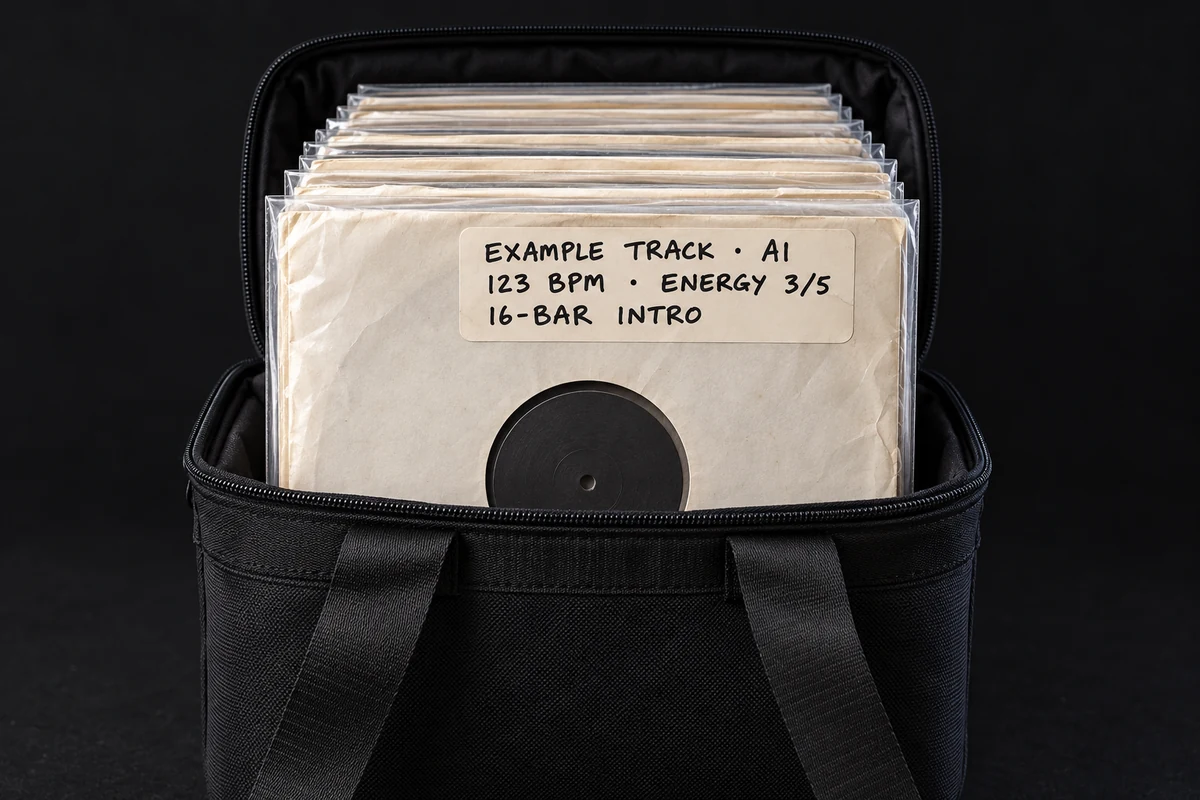
If colour helps you browse, add a dot beside the notes for each BPM range. Keep the number written out too. Use A or B for a side, and A1 or B2 for a particular track.
Find the side and track in Teca
Leave the jacket or original printed inner sleeve at home, and the tracklist may stay behind too. Open the record in Teca to check its tracklist and any listed track positions, such as A1 or B3. Make sure the saved pressing matches your copy, since track order can differ between editions. If positions are missing, check the disc’s centre label or the tracklist for your pressing before the gig.
Discovery · Daft Punk
- A1One More Time
- A2Aerodynamic
- A3Digital Love

6. Check the BPM before writing it down
In Teca, add records to a setlist to get BPM estimates where one is available. Not every track gets a number. Estimates are marked ≈ and come from the recording at normal speed, not from a pitched blend. Use the number as a starting point and check it against the track before writing it on a label.
Friday warm-up
3 example estimates · 1 track pending
- One More TimeDaft Punk≈123
- Can You Feel ItMr. Fingers≈116
- Move Your BodyMarshall Jefferson≈122
- AtmosphereKerri ChandlerPending
7. Leave room to change direction
Choose the next record for the room you’re playing to. If the opening tracks feel too intense, try something gentler. Take requests that fit the set and the records you’ve brought. If a long blend sounds wrong, try a shorter transition or choose another track.
Bonus: carry records in inner sleeves only?
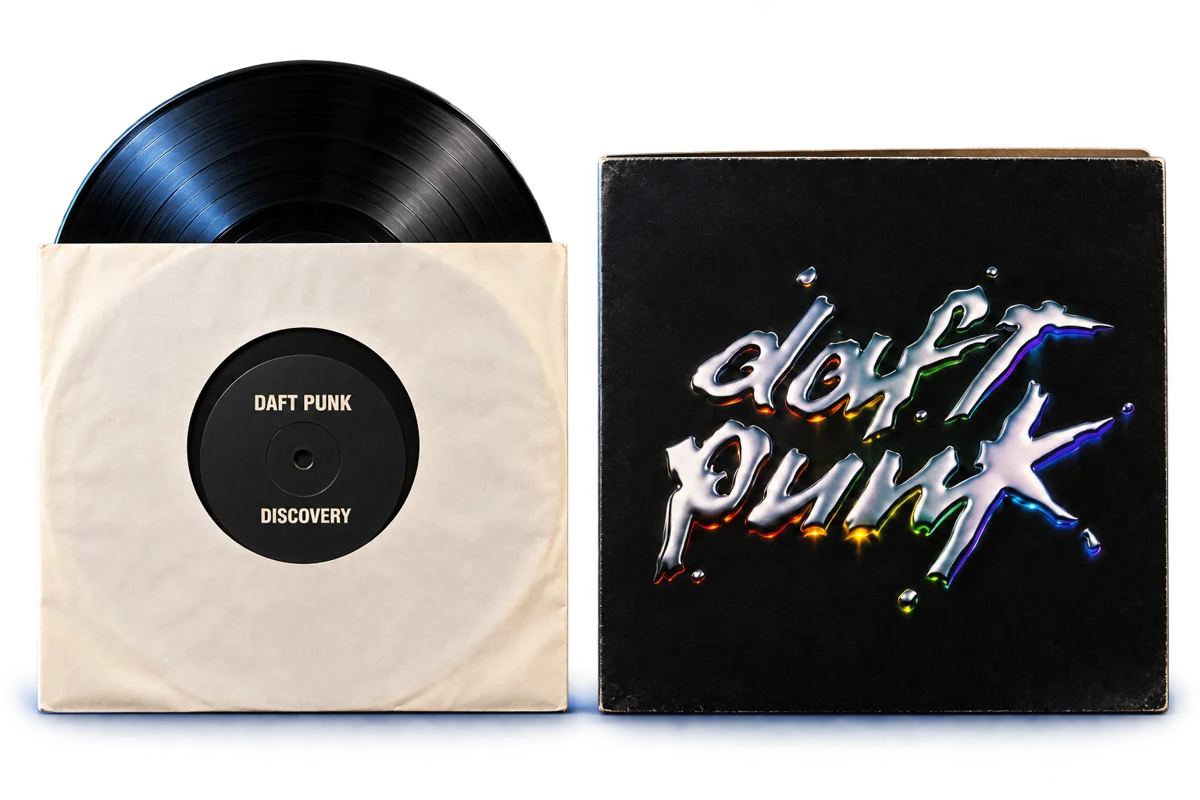
An inner sleeve holds the disc. The cardboard jacket (album cover) adds support. A clear outer sleeve protects what you put inside it; it doesn’t replace that support.
Packing inner sleeves without jackets leaves more room in the bag and keeps the original artwork at home. The trade-off is less support for each record. Use a snug, protective record bag and avoid packing anything heavy against the discs. If you want more support without taking the artwork, a plain replacement jacket is another option.
Labels and sleeves for your notes
- Avery removable colour dots, ¾"One colour per BPM range. Apply to a protective outer sleeve and test removal first.
- Avery 5444 labels, 2 × 4"White labels you can write or print. This model uses removable adhesive. Avery 5263 is the same size with permanent glue, so check the model number before you buy.
- ChromaLabel 2×3" writable labelsEasy to write on with a marker. Permanent glue: outer sleeve only.
- Clear resealable outer sleevesA protective plastic sleeve for a jacket or an inner sleeve, with space for a notes label.
Coming soon to Teca
Planned setlist tools in Teca
Setlists already show BPM and key estimates, marked ≈, from the recording at normal speed. We’re working on an energy estimate and on pairings worth testing. You’ll still need to check how tracks sound together at the pitch settings you use.
- Key≈ 8A
- BPM≈ 124
- Energy≈ 4 of 5
- Suggested pairing≈ Worth testing
Free for the first 1,000 members. ≈ marks an estimate from the recording at normal speed.
Vinyl set prep: questions and answers
How many records should I bring to a vinyl gig?
It depends on how long you play each track and how much you can carry. At roughly four minutes per track, an hour uses about 15 tracks. Selecting 30 gives you alternatives, but you may carry fewer discs if you’ll use several tracks from each.
Should I write the key on my records?
You can note the key as a reference at 0% pitch. Changing a conventional turntable’s speed shifts the tuning, so check the blend at the pitch settings you’ll use. At +6%, the sound is about a semitone higher.
What should go on a record label?
Start with the track title, track position such as A1, and BPM at 0% pitch. Add a short cue or your own energy rating if useful. Put the label near the top of a protective plastic sleeve’s flat front. Lift the sleeve slightly to read it; its thin edge isn’t wide enough for a label.
Written by the Teca team.